Fast & Keyrious LLC
Call 821-203-4949
How to connect a rekeyed lock to your existing keyless entry system
Instead of managing a new physical key and your existing keypad or app separately, use this rekey lock keyless entry integration workflow to check both access methods before closing the door. Rekeying changes the mechanical key access; it does not automatically change keypad codes, app permissions, or electronic credentials.
TL;DR
Rekey lock keyless entry integration requires separate checks for the mechanical cylinder and digital access.
Fastkeyrious provides mobile residential and commercial rekeying; confirm the exact address and hardware before arranging service.
Keep existing keypad codes only when their users should still have access.
Avoid factory resets unless the manufacturer’s instructions require one for your exact lock.
Why this matters
A key cylinder and a keypad can control the same door without sharing the same access settings. Changing the cylinder’s key does not necessarily disconnect the keypad, and a working keypad does not prove that an old physical key has stopped working.
Fastkeyrious is best for homeowners and businesses needing mobile rekeying within its confirmed local service area. You speak directly with the technician rather than a dispatch center. Start with Fastkeyrious to discuss the lock and the exact service address.
For a 2026 access update, separate the job into mechanical access, electronic permissions, and door operation. That distinction matters after a move, tenant change, employee departure, or lost key. Each situation requires a different decision about who should retain access.
This guide covers residential and business doors, not vehicle key programming. It also separates rekeying from electronic-access configuration: do not assume a locksmith’s rekeying service includes account administration or access-control installation.
Before you start
Get authorization and administrator access. Have permission from the owner or property manager, the current working key if available, and administrator access to any connected lock account. For an office, identify who controls the suite door and who controls the building entrance.
Identify the hardware. Record the exact lock model and obtain its manufacturer’s instructions. Have the newly issued key, any required programming credential, and the specified battery type ready. Confirm that the cylinder can be rekeyed before scheduling the work.
Keep the door open during setup. Rekeying does not revoke digital access, and a factory reset can erase settings or pairing information. Preserve another authorized way in, and do not reset the lock merely because the physical key changed.
Confirm local eligibility by address, not by city name. The approved service boundary is within 42 miles of Greenville, South Carolina, with North Carolina and Wellford excluded. An address near the boundary needs confirmation before you arrange service.
Identify the lock configuration
The right workflow depends on how your keyless system operates the door. Use the following comparison before changing settings. These are hardware configurations, not promises of compatibility with a particular lock.
Keypad lock with a keyed cylinder
Best for: Doors using keypad access and a physical backup key
Advantage during rekeying: You can check the key and code separately
Limitation to check: Cylinder serviceability and programming procedures depend on the model
Interior retrofit smart-lock actuator
Best for: Doors retaining an existing exterior keyed cylinder
Advantage during rekeying: Electronic operation and exterior key access can remain separate tasks
Limitation to check: Reassembly must preserve the documented actuator connection and alignment
Key-free electronic lock
Best for: Doors without a physical key cylinder
Advantage during rekeying: No mechanical cylinder needs rekeying
Limitation to check: Access changes require credential management rather than a new physical key
Separate electronic reader and mechanical lock
Best for: Offices with separately managed electronic and keyed access
Advantage during rekeying: You can assign mechanical and electronic responsibilities clearly
Limitation to check: Building authorization and controller administration can involve different people
If the lock has no key cylinder, rekeying is not the task. You need to change the appropriate electronic credentials instead. If the door has a separate keyed lock, identify which component needs service before describing the job as a smart-lock problem.
For a business entrance, distinguish the exterior building door from the office suite. Authorization to rekey one does not establish permission to change the other. Ask the landlord or building manager before touching shared entrance hardware.
Mechanical access setup
Identify the cylinder being serviced. Point out the exact door and keyed component. Tell the technician whether the goal is replacing a lost key, retiring a former user’s key, or matching authorized keys across compatible locks.
Confirm the rekeying scope. Ask whether the existing cylinder supports the intended change. Do not assume different keyways can accept the same key or that a worn lock needs only rekeying.
Test the new key with the door open. Operate the mechanism without forcing the key. Confirm that the key turns and can be removed as intended for that lock.
Verify the intended old-key restriction. If an old key is available, have the technician check whether it still operates the serviced cylinder. Tell the technician about any master-key arrangement before deciding which keys should stop working.
Expected result: The new key operates the serviced lock, and the agreed mechanical-access change is verified. This does not yet prove anything about keypad codes or app users.
Rekeying changes which key operates a serviceable cylinder. Lock replacement changes the hardware. When the lock is damaged or unsuitable for the intended use, ask the technician which task addresses the actual problem rather than treating the terms as interchangeable.
Electronic access configuration
List the electronic access methods. Record keypad codes, app users, shared invitations, and any other credentials your system actually supports. Include access managed outside your phone, such as a property-management account.
Decide who keeps access. Mark each user as retained or removed. A new backup key is not a reason to delete every approved electronic user.
Open the documented management interface. Follow the manufacturer’s instructions for your exact model and software version. Use its actual user-management or programming controls; there is no universal button name across keyless systems.
Remove only the credentials that should expire. Complete any confirmation or synchronization steps required by the system. Do not delete the owner account while trying to remove a guest.
Test retained access. With the door open, use an approved keypad credential or electronic command. Confirm that the lock operates, not just that the app displays a success message.
Expected result: Approved electronic users retain access, and removed credentials are checked according to the system’s documented process.
For your 2026 access record, note who controls physical keys and who administers electronic permissions. Keep PINs and account recovery details out of shared maintenance notes. Record responsibility, not secrets.
Door operation verification
Check open-door movement. Operate the lock with the new key and the retained electronic method. Keep fingers clear of moving parts.
Check the door’s closing position. Look for rubbing, a loose assembly, or a bolt that does not line up with the strike. Do not compensate for resistance by forcing the key or repeatedly running the motor.
Follow documented calibration instructions when required. Some electronic locks use a handing or calibration procedure. Run it only when the instructions call for it, under the conditions those instructions specify.
Test the closed door from a safe position. Keep an authorized person inside or preserve another authorized entry route. Confirm that the door locks and unlocks with each retained access method.
Check the inside exit operation. Confirm that occupants can use the normal interior release. Do not alter commercial exit hardware or defeat safety functions during testing.
Expected result: The lock operates both open and closed, and the physical key and retained electronic credentials work on the actual door.
Use this sequence: Mechanical access, Electronic access, Door operation. Open-door testing isolates lock movement; closed-door testing checks whether the installed door interferes with it. Neither check replaces the other.
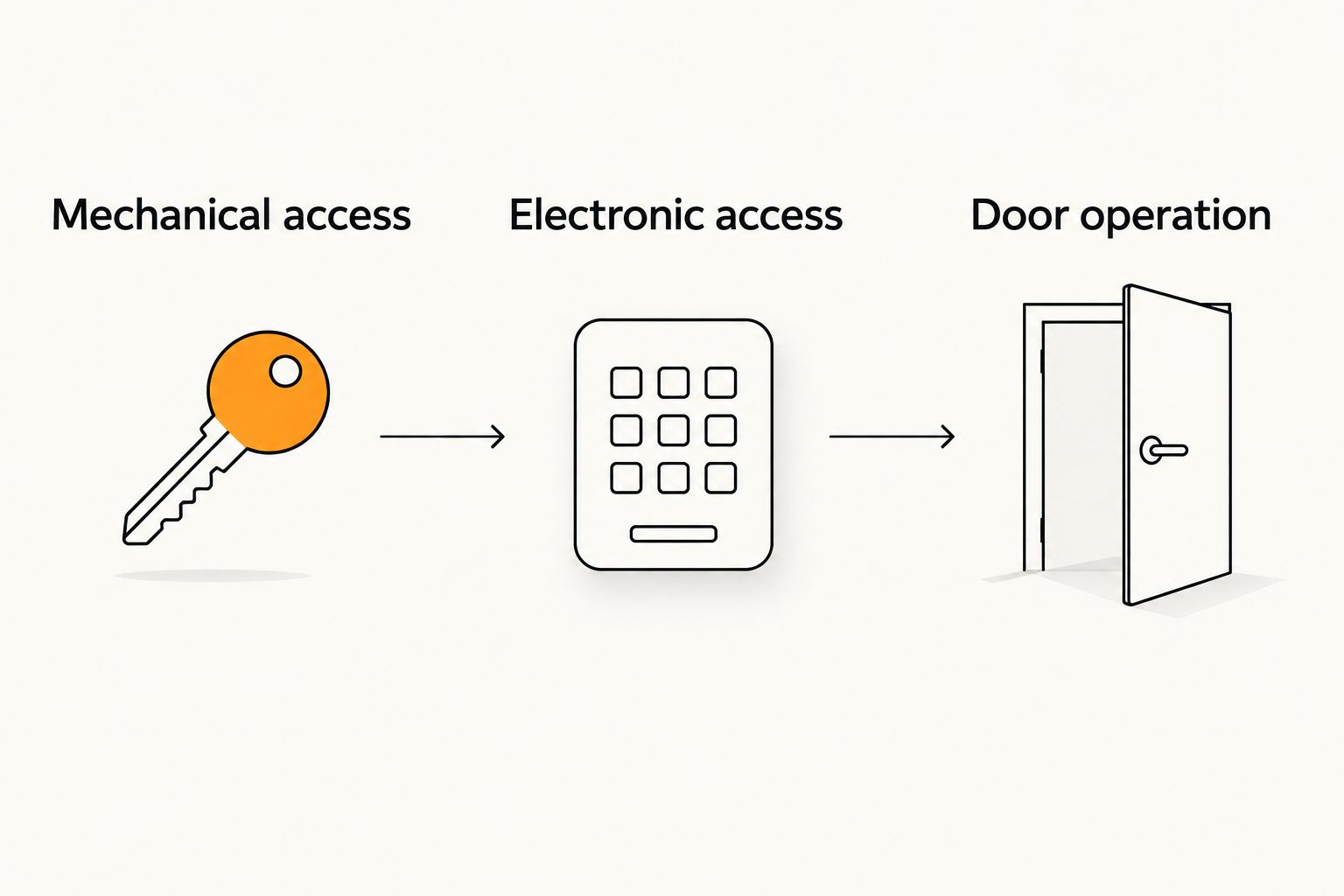
Check the key and electronic credentials separately before testing the closed door.
Handoff and access record
Record the completed work. Note the door, lock model, rekeying date, and person responsible for the new keys. Use a 2026 maintenance record if this is your current access update.
Document electronic changes separately. Record which users were retained or removed without writing their PINs into the work log.
Assign recovery responsibility. Identify who holds the authorized backup key and who can recover the administrator account.
Resolve unfinished checks. If any intended access method failed, keep the issue open rather than marking the whole job complete.
Expected result: The owner or manager knows what changed, who retains access, and which checks passed. A successful mechanical rekey should not conceal an unfinished electronic-access task.
Discuss your rekeying job
Speak directly with the technician about your lock, access needs, and exact service address.
Update access after a tenant or employee change
Changing users is a related workflow, but it starts with permissions rather than hardware. Retire the departing person’s physical and electronic access independently. Rekeying alone leaves electronic permissions unchanged unless you also update them.
Identify every door the person could access, including shared building entrances managed by someone else.
Ask the authorized technician to assess the mechanical key change.
Remove the departing user’s individual electronic credential through the documented administrator process.
Replace any shared code the person knew, then distribute the replacement only to authorized users.
Test retained access and complete the manufacturer’s required checks for removed credentials.
For a 2026 tenant turnover, distinguish the unit door from common-area access. A landlord can arrange work on authorized hardware while the building administrator handles separately managed credentials. Do not assume one person controls both.
If the lock also needs a new authorized phone connection, use the smart-lock phone-pairing guide. Pairing a phone is a separate task from changing the cylinder’s key.
Troubleshooting
The new key does not turn smoothly
Stop forcing it. Check that you have the correct newly issued key and compare operation with the door open. If it still binds, contact the technician who serviced the cylinder; an electronic reset does not repair a mechanical key problem.
The keypad works, but the old physical key still works
Separate the two access paths. Ask the technician to verify the agreed rekeying outcome and disclose any master-key arrangement. A working keypad does not confirm that a physical key has been retired.
The lock works open but struggles when closed
Check door alignment and the strike opening. The difference points to an installed-door condition that needs inspection, rather than proving the cylinder was keyed incorrectly. Stop repeated motor operation and have the alignment assessed.
The app works, but an removed user still has access
Review the actual credential used: an app invitation, shared PIN, or separately managed building credential. Remove or replace that specific access path and complete the documented synchronization process. Deleting one app user does not erase a shared keypad code.
The lock disconnected after a reset
Use the manufacturer’s recovery and pairing instructions with the authorized owner account. Do not keep resetting the lock or deleting accounts without a recovery plan. Restore documented access while preserving a safe way into the property.
Customize your workflow
Match the access plan to the door’s use, not just its electronics. A home needs a clear backup-key arrangement. A rental needs a repeatable turnover record. An office needs separate responsibility for suite keys, shared entrances, and electronic administration.
Fastkeyrious provides residential and commercial rekeying. Confirm the exact hardware and service scope directly with the technician; do not assume electronic-access installation or account management is included.
When updating several doors, identify each cylinder and each electronic administrator before work begins. Treat compatible key matching, permission changes, and door repairs as separate decisions. This prevents a single “change the locks” request from hiding different jobs.
FAQ
Do I need to reconnect my keypad after rekeying the lock?
Rekeying alone does not automatically require reconnecting a keypad. Check the manufacturer’s instructions and test the existing keypad separately from the new physical key.
Does rekeying a smart lock delete its access codes?
Rekeying the mechanical cylinder does not itself delete electronic access codes. Remove or replace unwanted credentials through the lock’s documented administrator process.
Can every keyless lock be rekeyed?
No. A key-free lock has no mechanical cylinder to rekey, and keyed models differ in cylinder serviceability. Confirm the exact model with the technician before arranging work.
Should I factory-reset my lock after getting a new key?
Do not factory-reset a lock just because its physical key changed. Use a reset only when the manufacturer’s instructions require it for the task you are completing.
What should I check after rekeying an office door?
Check the new key, retained electronic credentials, closed-door operation, and normal inside exit operation. Confirm that you have authorization for the suite door and any separately managed building entrance.
Can Fastkeyrious help with residential or business rekeying?
Fastkeyrious provides mobile residential and commercial rekeying. Confirm the exact service address and hardware directly with the technician; coverage is limited to the approved Greenville-area boundary.
What should my 2026 rekeying record include?
Record the serviced door, lock model, work date, key responsibility, and completed access checks. Keep electronic-user changes separate and do not include PINs or recovery secrets in shared notes.
One last thing
A successful unlock proves that one access method works; it does not prove that unwanted access is gone. Finish your 2026 update by checking both sides of the task: approved users can enter, and the keys or credentials intended for removal no longer provide access.