Fast & Keyrious LLC
Call 821-203-4949
How to connect a new key fob to your car's immobilizer system
Instead of repeatedly trying remote buttons or ignition sequences, use a vehicle-specific key fob immobilizer programming workflow: confirm compatibility, establish authorization, register the key through the approved procedure, and test remote operation and engine starting separately. This 2026 guide explains what you can check yourself and when to speak directly with an automotive locksmith.
TL;DR
Key fob immobilizer programming authorizes engine starting; remote pairing alone does not prove the key can start your car.
Fastkeyrious is best for local drivers seeking mobile key programming with direct technician contact.
Use your vehicle’s documented procedure, not a generic button sequence copied from another model.
Confirm compatibility and test every retained key before considering car key programming complete.
Why this matters
A replacement fob can operate the door locks without being authorized to start the engine. Depending on the vehicle, remote-control functions and immobilizer authorization use separate procedures. A working unlock button is not proof of successful immobilizer programming.
In 2026, the correct instructions still depend on the vehicle’s model year, key system, and whether a working key remains. The replacement key’s appearance is not enough to establish compatibility.
Fastkeyrious is best for local drivers seeking mobile key programming with direct technician contact. You speak with the technician who will handle the job rather than a dispatch center. Start with Fastkeyrious and provide the vehicle details before arranging service.
Mobile assistance avoids taking the vehicle elsewhere when the requested work is supported. The limitation is equally important: the technician must confirm the exact vehicle, key type, and service location before accepting the job.
Before you start: your 2026 checklist
Gather vehicle and ownership details. Have the make, model, model year, vehicle identification number, identification, and evidence of your authority to request key service. Ask the technician which documents the job requires.
Collect the keys and instructions. Bring every working key you want to retain, the replacement fob’s identifying information, and the vehicle’s owner manual. Confirm the replacement key with the technician before trying to register it.
Check the procedure’s prerequisites. Some owner-programming procedures require multiple already-authorized keys. Having a fob that unlocks the doors does not establish that it qualifies as an authorized starting key.
Do not start a procedure that requires equipment, credentials, or working keys you do not have. Also resolve a weak vehicle battery before programming; interrupted power can disrupt electronic service work.
For mobile service, confirm the exact address. The approved service boundary is up to 42 miles from Greenville, South Carolina, with North Carolina and Wellford excluded. A town name alone does not establish that a specific address qualifies.
Choose the programming route
The right route depends on what the manufacturer permits and what the service provider confirms for your vehicle. Use owner programming only when the vehicle’s documentation explicitly supports your situation.
Documented owner programming
Best for: Owners whose vehicle supports the procedure and who meet every prerequisite
Advantage: Lets you follow the manufacturer’s instructions yourself
Limitation: Does not apply to every vehicle or lost-key situation
Mobile automotive locksmith
Best for: Drivers needing supported key work at the vehicle’s location
Advantage: Brings the service to the vehicle
Limitation: Exact vehicle support and service address require confirmation
Dealership service
Best for: Owners choosing the manufacturer’s service channel
Advantage: Provides a place to request vehicle-specific key service
Limitation: Confirm how the vehicle must be presented and what the job requires
These routes are not interchangeable. A self-programming sequence for a spare key does not establish a procedure for replacing every lost key. Likewise, a provider’s general key-programming service does not prove compatibility with your particular immobilizer.
Vehicle and key identification
Record the vehicle. Write down the make, model, model year, and vehicle identification number. Use the actual vehicle information, not the year shown on an online fob listing.
Identify the starting method. Tell the technician whether you insert a key into an ignition or use a push-button start system. Describe any separate remote you carry.
Check the replacement key. Share its part number and other identifying markings with the technician. Do not treat matching buttons, shape, or a cut blade as confirmation of electronic compatibility.
Describe the current failure. State whether the existing key starts the engine, operates the locks, does both, or does neither. Report any security warning exactly as it appears.
Confirm the requested work. Distinguish adding a spare from replacing a lost key, repairing an ignition problem, or opening a locked vehicle.
Expected result: You have a clear description of the vehicle, the replacement key, and the job. The technician can evaluate the requested service without guessing from a photograph of the fob alone.
Keep the replacement key’s packaging until compatibility is established. Its identifying information is more useful than a seller’s broad statement that it fits your vehicle brand.
Authorization and procedure selection
Establish your authority. Present the documentation requested by the service provider. For a company vehicle, arrange authorization from the person responsible for the vehicle.
Count the working starting keys. Tell the technician which keys actually start the engine. Separate those from remotes that only operate the locks.
Locate the applicable instructions. Use the owner manual for owner-permitted procedures. A technician uses the appropriate service information and equipment for supported professional programming.
Read the entire procedure first. Check its requirements for key quantity, ignition state, battery condition, and any time-sensitive actions. Do not substitute instructions for a similar-looking model.
Identify the operation. Confirm whether the job adds a key, replaces lost keys, or removes authorization for a missing key. Those goals are different.
Expected result: You know which procedure applies, who will perform it, and what prerequisites must be met. If the documented procedure does not cover your situation, stop rather than improvise.
There is no universal programming screen or button sequence. Menu names and ignition instructions vary by vehicle and equipment, so follow the exact labels in the applicable instructions rather than looking for a generic pairing button.
The workflow has distinct checkpoints. Each checkpoint should be complete before the next begins.
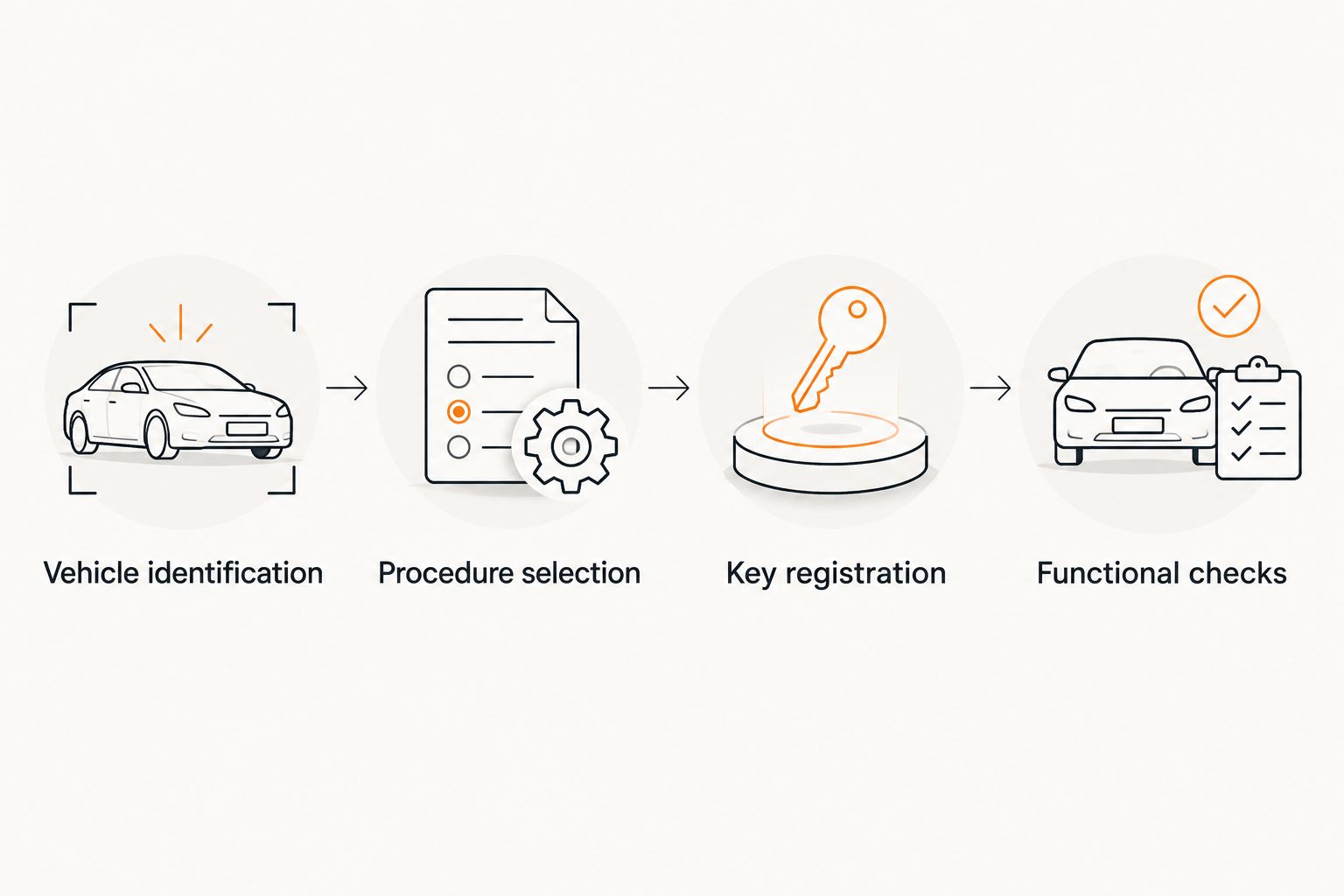
Compatibility and procedure selection come before key registration.
Key registration
Prepare the vehicle. Park securely and meet the power and ignition-state requirements in the applicable instructions. For professional programming, let the technician manage the equipment and power requirements.
Separate the functions. Confirm whether remote pairing and immobilizer registration are separate operations on this vehicle. Completing one does not establish completion of the other.
Follow only the approved sequence. If owner programming is explicitly supported, follow the manual exactly. Otherwise, have the technician carry out the supported registration procedure.
Keep retained keys accessible. Provide the keys requested by the procedure. Ask whether existing keys must be presented or registered again during this operation.
Wait for the documented result. Use the confirmation specified by the procedure. Do not assume success because the fob flashes, the locks cycle, or a programming tool finishes a screen.
Expected result: The applicable procedure reports that registration is complete. That report is a checkpoint, not the final proof; the key still needs functional testing.
Do not repeat unrelated ignition sequences when registration fails. Record the warning or failure message and return to compatibility and prerequisite checks. Repetition does not correct a wrong key or an unsupported procedure.
This guide does not provide immobilizer bypass instructions. The goal is to register an authorized key through the vehicle’s supported process, not defeat its security system.
Functional checks
Test remote operation. Check lock and unlock functions without leaving the only usable key inside the vehicle. Test other remote functions only if they are supported and safe to operate.
Test starting separately. With the vehicle safely parked outdoors and the parking brake applied, follow its normal starting procedure. Do not test a running engine in an enclosed garage.
Isolate the new key. Ask the technician how to test the replacement without another authorized key masking the result. This matters particularly with proximity-key systems.
Test retained keys. Check each key you expect to keep using. Do not discover later that an older key no longer starts the vehicle.
Check the physical backup. If the key includes a mechanical blade, confirm its intended function. Electronic programming does not establish that a blade is cut correctly.
Expected result: The replacement key performs its supported functions, and retained keys work as intended. Note any remaining fault before the service ends.
Use 2 separate functional checks as your minimum verification: remote operation and engine starting. Neither substitutes for the other. A key that starts the engine but cannot operate the remote still needs its remote function checked.
Replacing a lost key in 2026
Adding a spare and replacing a lost key are adjacent workflows, but they begin differently. A spare-key procedure assumes you still have whatever working keys the manufacturer requires; an all-keys-lost job does not.
Confirm whether any starting key remains. A remote that opens the doors is not necessarily a usable starting key.
Separate entry from replacement. If the keys are locked inside, ask for vehicle lockout assistance. If the keys are missing, request replacement and programming.
Describe the security concern. Tell the technician whether the key was misplaced or stolen. Ask whether the supported procedure can remove the missing key’s electronic authorization.
Review the mechanical lock separately. Removing electronic authorization does not change a physical key blade or mechanical door lock.
Expected result: The service request addresses the actual problem rather than treating every missing-key situation as simple remote pairing.
For the broader sequence, read the lost car keys to driving again workflow. Fastkeyrious offers automotive key services, but the technician must confirm the exact vehicle and requested work before making a compatibility commitment.
Troubleshooting
The fob unlocks the doors, but the engine will not start
Remote operation does not prove immobilizer authorization. Ask the technician to verify registration and compatibility. A no-start condition can also have a cause outside the key system, so report the vehicle’s symptoms rather than labeling every failure a programming fault.
The engine starts, but the remote buttons do not work
Check the fob battery according to the owner manual, then confirm whether remote pairing is a separate procedure. Avoid opening or modifying the fob beyond the manufacturer’s instructions. Starting authorization and remote operation need separate checks.
The vehicle reports that no key is detected
Follow the owner manual’s instructions for a weak fob battery, including any designated backup starting position. If recognition still fails, have the technician check compatibility and registration. Do not assume the backup position is the same across vehicle models.
The procedure rejects the replacement key
Stop and verify the key’s identifying information and the procedure’s prerequisites. Ask whether that specific replacement key is eligible for the requested operation. A matching shell does not prove that its electronics are correct or usable.
An older key stops working after programming
Bring all retained keys back into the verification process. Some procedures change which keys remain authorized. Have the technician review the completed operation rather than applying a second, unrelated programming sequence.
Build your 2026 spare-key plan
After successful programming, record which keys start the vehicle and which remote functions work. Store a spare separately from the everyday key, and keep the key’s identifying information with your vehicle records rather than on a publicly visible tag.
For a shared or business vehicle, assign responsibility for spare keys and authorization requests. Keep instructions simple: who can request service, where the spare is stored, and whom to notify when a key disappears.
Fastkeyrious supports confirmed Ford Transit vehicle lockout and key services. For a Transit request, provide the model year and key type; confirm the exact work with the technician. Do not assume Ford Transit Connect support or compatibility with every Transit key system.
The business offers 24/7 emergency response, but an emergency request still requires confirmation of the location and requested service. Ask about the actual job rather than assuming an arrival time.
Confirm your key programming request
Speak directly with the technician about your vehicle, key type, and exact service address.
FAQ
Can I program a new key fob myself?
You can use owner programming only when your vehicle’s documented procedure supports it and you meet every prerequisite. Otherwise, arrange supported professional key programming.
Is remote pairing the same as immobilizer programming?
No. Remote pairing operates functions such as locking and unlocking, while immobilizer programming authorizes engine starting. Some vehicles require separate procedures.
Why does my new fob unlock the car but not start it?
Unlocking does not prove that the immobilizer recognizes the key. Have the key’s compatibility and registration checked, and report any other no-start symptoms.
Can a locksmith program a key when I lost the original?
An automotive locksmith can perform supported lost-key replacement and programming, but must confirm your exact vehicle and key system. An all-keys-lost job is different from adding a spare.
Do I need to bring every working key?
Bring every key you want to retain and ask which ones the procedure requires. Test those keys afterward to confirm they still work as intended.
Will programming a new key disable the stolen key?
Adding a new key does not establish that a stolen key has been disabled. Request a separate check of electronic authorization, and discuss the mechanical lock because a physical blade is a separate concern.
Does Fastkeyrious program every Ford Transit key?
No blanket compatibility claim applies. Ford Transit lockout and key services are confirmed offerings, but the technician must verify the model year, key type, and exact requested service.
How do I check whether mobile service covers my address?
Provide your exact service address for confirmation. The approved boundary is up to 42 miles from Greenville, South Carolina, excluding North Carolina and Wellford; a city name alone does not confirm coverage.
One last thing
Keep your existing working key until the replacement passes an isolated starting test. A nearby authorized proximity key can conceal a replacement-key problem. Ask the technician to verify the new key independently before you put the spare away.